HTML slide prompt
Teaching & explainers prompt
Teach one concept through an explanation, a worked example, and a short exercise.
Build your brief
A lesson needs more than a shortened article. Specify what the learner should be able to do, explain the idea, and provide a practice task that tests that objective. This prompt includes a worked example and separates the exercise from its answer, so you can choose when to reveal it while presenting.
What to provide
- [CONCEPT]
- The single idea to teachExample: Feedback loops
- [LEARNERS]
- Prior knowledge and audienceExample: Beginners who know what a thermostat does
- [OBJECTIVE]
- What learners should be able to doExample: Identify a sensor, a target, and a corrective action
- [SOURCE]
- Your teaching material and examplesExample: A thermostat comparing room temperature with a target
- [LANGUAGE]
- Language for slide textExample: English
Output: A five-slide HTML lesson with a worked example, an exercise, and a separate answer slide.
Replace the bracketed fields with your own brief and source material.
From prompt to presentation
01Prepare the brief
Replace every bracketed field. Paste your actual notes, facts, and desired slide count; include sources for any numbers you want to show.
02Generate outside SlideBeaver
Paste the prompt into an AI chat or a coding agent. Ask for the complete HTML file, then open it locally and check every slide.
03Save and polish
Save the returned code as an .html file. On a desktop, open SlideBeaver, upload it, and adjust text, images, or slide order.
04Check the deliverable
Export HTML or a static PPTX. Reopen the file and inspect line breaks, fonts, and any visual that must remain editable.
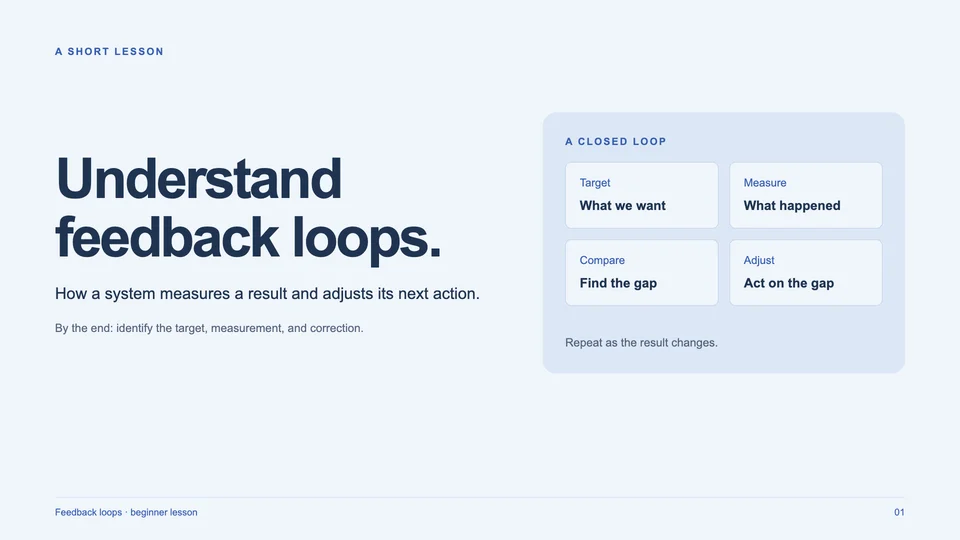
Example: Understand feedback loops
A beginner lesson using a thermostat as the worked example, followed by a practice question and answer. Use it to inspect the structure; your AI output may differ.
See the example brief
Concept: feedback loops. Learners: beginners. Objective: identify a target, a measurement, and a corrective action. Example: a thermostat compares room temperature to the target and turns heating on below it. Practice: identify the components in a greenhouse controller. English; pale blue and navy.
Before you import into SlideBeaver
- The supplied example uses visible slide sections, inline CSS, and system fonts. AI-generated variations still need their own import check.
- SlideBeaver exports a static PPTX. Supported text and shapes can stay editable; complex visuals may become images, and animations are not carried over.
- For missing or clipped content, ask the AI to remove runtime-dependent visibility and split dense slides before uploading again.
Have your HTML file ready?
Open the editor on desktop, upload your deck, and polish it before export.